Quick chooser
| Situation | Take this |
|---|---|
| Windows 10/11 with winget | winget install -e --id qarmin.krokiet |
| Winget blocked | windows_krokiet_on_windows_skia_opengl.exe from GitHub Releases |
| Window opens blank / GPU paint fail | femtovg_wgpu or skia_vulkan exe from the same release |
| Borrowed or locked lab PC | Stop; do not force wrappers |
winget install -e --id qarmin.krokietHome install: home. Releases: releases. Safe fetch: download safe. Winget howto: how to install winget.
Windows x64 first
Install mapping here focuses on Windows x64. Upstream publishes Linux and macOS Krokiet builds too. Take those from GitHub Releases if that is your machine. Do not expect a mac install tab on this Windows-first guide.
Winget declares a dependency on Microsoft.VCRedist.2015+.x64. If the portable exe fails to start, confirm that redistributable is present. Windows setup depth: Windows setup, install on Windows.
Folder plan for this PC
Pick one short folder you already trust. Downloads is a common first pass. A camera export folder is a common photo pass. Avoid scanning the entire system drive on day one.
Keep delete decisions manual. Recycle bin habits matter. Delete guide: delete duplicate files. Photo guide: duplicate photo finder. How-tos: find and delete, find duplicate photos.
When graphics backends matter
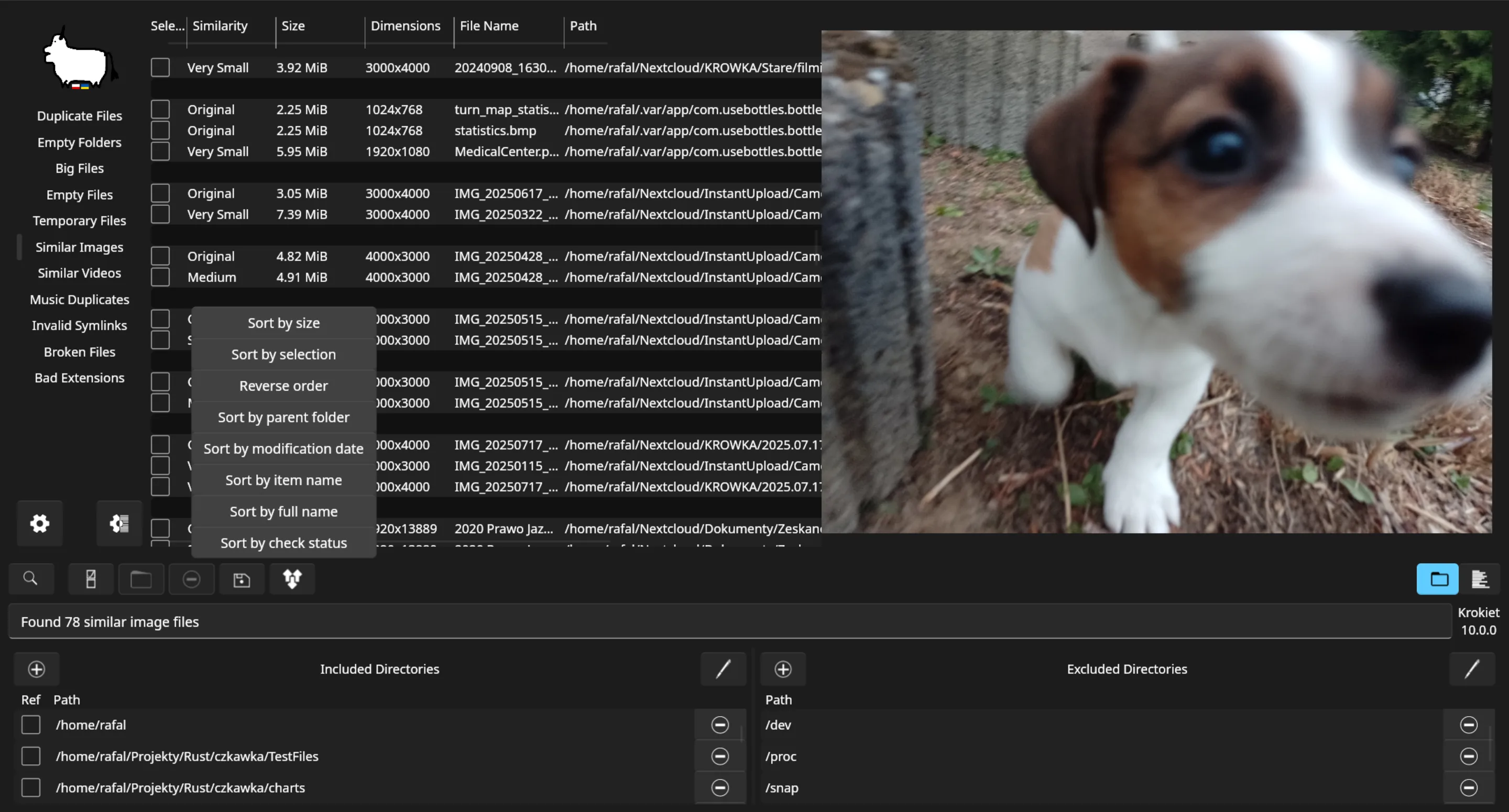
Release legends list skia_opengl as the usual Windows beginner pick. If the UI fails to paint, try femtovg_wgpu or skia_vulkan from the same tag. Keep only one backend installed while you test. Chooser: exe or winget.
Diagnostics panels in newer Krokiet builds help you see compile-time and runtime features. Use them when a codec-backed scan fails. Do not invent that every Windows build includes every optional library.
Update door on this PC
If winget installed the package, upgrade with winget. If you used the portable exe, take the newer skia_opengl file from Releases. Update guide: update and uninstall. First hour: installed. First run: first run. Safety: is it safe.
Comparison if you arrived from a commercial search: vs Auslogics. Repo context: GitHub. Guides index: guides.
Checklist
Confirm Windows x64. Confirm winget or Releases. Confirm the filename. Confirm a short test folder. Confirm you will review before delete. Confirm one update door. That is enough to start a useful cleanup on this computer without chasing mirrors.
If SmartScreen warns, re-check that the file came from qarmin/czkawka Releases or winget. If a lab policy blocks the exe, stop. If you only need to wipe a drive you will format anyway, you may not need a duplicate scan tool at all.
Storage and performance on this PC
Duplicate scans read a lot of file metadata and may hash large files. On a spinning disk, start smaller. On an SSD laptop, you can widen the roots sooner, but review still matters. Close other heavy apps if the scan saturates the disk.
Network drives and cloud-synced folders can surprise you with placeholders. Prefer local copies you already trust for the first pass. If a folder is mid-sync, wait until sync finishes so matches are real files.
External USB disks are fine targets after you confirm the drive letter. Eject only after you finish delete and close the app. Keep a second copy of irreplaceable archives before bulk removes.
More setup: Windows setup. More safety: is it safe. More install: install on Windows. Winget-only: winget. Exe chooser: exe or winget.
If this computer is temporary, skip install. If this computer is your daily driver, pick one door and stick with it for updates. That single habit prevents the classic problem of two Krokiet shortcuts that point at different backends.
Account and permission notes
Install under the Windows account that owns the libraries. Standard user installs are fine for personal Documents trees. Admin elevation may appear for machine-wide redistributable installs via winget dependencies.
Corporate images sometimes allow winget and still block portable exes from the web. In that case, prefer the winget id. If both are blocked, escalate to IT rather than fetching a random wrapper.
Home lab PCs with multiple users should keep scans inside each user profile unless everyone agrees on a shared archive folder. That reduces surprise deletes across accounts.
Extra practice for a duplicate file finder pass
A calm duplicate file finder install on Windows starts with winget id qarmin.krokiet or the current windows_krokiet_on_windows_skia_opengl.exe from GitHub Releases. Finish that door before you open a second mirror. When Krokiet appears, pick a short folder you already trust and run one duplicate file finder scan so the path is proven on the machine you control.
Prefer the same door for the next duplicate file finder update. Catalog lag can trail a fresh upload on qarmin/czkawka, so public copy says the current release rather than a dotted pin. Related routes stay on releases, GitHub overview, download-safe, vs Auslogics, delete, photo, and the Windows install walkthrough for this duplicate file finder cluster.